Instagram Video Guide for Brands: Formats, Specs, and Best Practices
Learn the latest Instagram video formats, specs, and best practices for brands.
Contents

Instagram video is one of the most important ways brands show up, connect with audiences, and turn creative into measurable results. But each format works differently, and the details matter.
Reels, Stories, Feed videos, Live, and video ads each have their own specs, placements, use cases, and performance signals. Choosing the right format can help your team create content that looks better, performs stronger, and gives you clearer insight into what your audience wants to see next.
This guide breaks down the Instagram video specs brands need to know, how each format works, and how to optimize your videos for stronger performance. You’ll also learn how to measure what’s working, avoid common mistakes, and use video insights to improve your Instagram strategy over time.
Key Takeaways:
- Instagram video formats serve different goals, from Reels for discovery to Stories for timely engagement and Feed videos for evergreen content.
- Strong Instagram videos are built for fast, mobile-first viewing, with a clear hook, readable text, and platform-specific pacing.
- Brands should optimize video creative for each placement instead of using one edit across Reels, Stories, Feed, and ads.
- Instagram analytics help brands understand what earns attention, drives engagement, and informs a stronger video strategy over time.
Instagram Video Formats Explained
Instagram gives brands several ways to publish video, and each format plays a different role in the customer journey. The strongest brand strategies use them together instead of treating every video the same.
Instagram Reels
Instagram Reels are built for short-form, vertical video. They appear across the Reels tab, Feed, Explore, and profile pages, making them best for reach, discovery, and entertainment-led storytelling.
For brands, Reels are most successful when they feel native to the platform. Use them for trend-led content, product education, creator partnerships, UGC video strategy, and social-first storytelling.
Instagram Stories
Instagram Stories are designed for timely, interactive content. They disappear after 24 hours unless saved to Highlights, which makes them useful for launches, event coverage, promotions, and audience questions.
Stories are also one of the easiest places to drive low-friction engagement. Stickers, polls, links, countdowns, and question boxes give audiences simple ways to interact without leaving the app.
Instagram Feed Video
Feed videos are best for content that should live on your profile longer than a Story. They’re useful for campaign content, product explainers, brand storytelling, interviews, and polished creative that your team wants audiences to revisit.
Because Feed videos appear in the profile grid, image size matters. Make sure the cover works in the feed and on your profile, especially if the video is part of a campaign or content series.
Instagram Live
Instagram Live helps brands connect with audiences in real time. It’s a strong format for tutorials, interviews, event coverage, behind-the-scenes moments, and product drops.
Live video works best when there is a clear reason to tune in. Give your audience a topic, a time, and a reason to participate.
Instagram Video Ads
Instagram video ads can run across Feed, Stories, Reels, Explore, and other Meta placements. Use video ads to amplify content that is already performing well organically, support product launches, retarget engaged audiences, and drive traffic or conversions.

Instagram Video Brand Examples
Brands are using Instagram video to educate audiences, showcase products in action, and turn brand moments into more engaging social content. Here are three examples of how brands across art, beauty, and apparel use video to support their Instagram strategy.
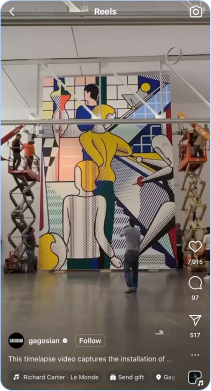
How Gagosian brings the gallery experience to Instagram
Gagosian uses Instagram video to give followers a behind-the-scenes look at the gallery experience, from exhibition walkthroughs to installation footage. This type of video content helps make the art-viewing process more accessible, while giving audiences a sense of scale, atmosphere, and context before they visit in person.
The videos work because they turn what could be a static exhibition announcement into an immersive experience that draws viewers into the world of the gallery.
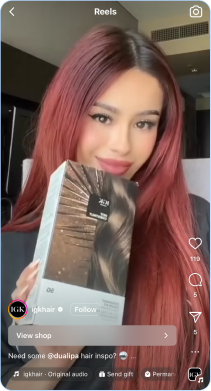
How IGK Hair uses tutorials to build product confidence
IGK Hair uses Instagram video to show its products in action through tutorials, styling tips, and creator-led demos. By showing real application and results, the brand helps educate its audience, build product confidence, and make its content feel useful as well as visually engaging.
These videos work because they quickly demonstrate product value in a format audiences already consume for beauty inspiration and how-to advice.
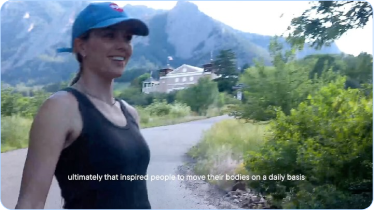
How Outdoor Voices uses video to reconnect with its community
Outdoor Voices uses Instagram video to reintroduce its brand story and rebuild community around its signature “Doing Things” ethos. In a relaunch video featuring founder Ty Haney’s return, the brand leans into nostalgia, movement, and product storytelling to reconnect with longtime fans while introducing a refreshed direction.
The Reel works because it feels personal and brand-led, turning a business update into an engaging piece of social content that reinforces Outdoor Voices’ values around joyful, everyday activity.
Instagram Video Specs at a Glance
At the time of writing, the safest default for Instagram video creation is vertical, mobile-first creative designed for full-screen viewing. Instagram specs can change, so social teams should confirm requirements before publishing, especially for ads or campaign assets with paid media behind them. Meta recommends using placement-specific aspect ratios in Ads Manager, since different placements support different creative dimensions.
Before publishing, verify the current placement requirements in Meta’s latest documentation. Specs, supported lengths, and ad requirements can shift across placements and paid formats.
Best Practices for Higher-Performing Instagram Videos
Creating stronger Instagram videos starts with understanding how people actually watch them. Most users are moving quickly, making snap decisions, and deciding within seconds whether a video is worth their attention. The best-performing brand videos are built for that behavior. They make the value clear early, keep the creative easy to follow, and give viewers a reason to watch through to the end.
Hook viewers early
The first second matters, especially on Reels. Start with motion, a clear payoff, a strong visual change, or a direct statement that gives people a reason to keep watching.
For brands, this could mean opening with the finished look before showing the process, leading with a customer reaction, or using text that immediately frames the value of the video. Think “three ways to style this,” “what changed after one week,” or “the detail you’re probably missing.” The goal is to reduce friction. Viewers should understand why the video is relevant before they decide to scroll.
A strong hook doesn’t need to feel forced. It just needs to create momentum. The faster your video answers “why should I care?” the better chance it has of holding attention.
Design for silent viewing
Many users encounter brand videos with the sound off, so captions, on-screen text, and clear visual storytelling still matter, even when audio is part of the creative idea. These details also make your content more accessible on social media, helping more people understand and engage with your videos across different viewing needs and environments.
This is especially important for product education, tutorials, interviews, event recaps, and creator-led content. If the message depends entirely on voiceover or trending audio, you risk losing viewers who are watching silently. Captions help keep the story intact, while simple on-screen text can guide people through the key points without making the creative feel crowded.
The best approach is to make the video understandable without sound, then use audio to add energy, emotion, or context. That way, the creative works in more environments.
Match the pace to the format
Reels usually reward tighter editing and faster momentum, while feed video can support a slightly calmer pace if the content is educational or narrative-led.
For Reels, avoid long intros, slow transitions, or unnecessary setup. Every second should move the story forward. This doesn’t mean every video needs to feel chaotic or overly edited. It means the pacing should match the viewer’s expectations for quick, engaging content.
Feed videos can give you a little more room to breathe, especially when the goal is to explain a product, share a founder story, recap an event, or highlight a campaign. Even then, the pacing should feel intentional. Cut anything that does not add clarity, emotion, or value.
Use cover images intentionally
Your cover image should make sense both in-feed and on the profile grid. It needs to communicate the topic quickly without relying on tiny text.
A strong cover gives viewers a clear reason to tap. It should show the product, person, result, or idea behind the video in a way that feels visually aligned with the brand. For educational content, use short, legible text that frames the topic. For product content, make sure the image is clear, polished, and easy to understand at a glance.
Cover images also affect the overall look of your Instagram profile. When chosen intentionally, they help your grid feel more organized and make older videos easier to rediscover.
Keep key information inside safe zones
Avoid placing headlines, subtitles, product details, or important visuals too close to the top, bottom, or outer edges where interface elements may cover them.
This is especially important for Reels, where captions, usernames, buttons, and other platform elements can interfere with the creative. Before publishing, review the video as it will appear in-platform, not just in the editing tool. A caption that looks perfect in a draft can become hard to read once Instagram’s interface is layered on top.
Keeping key information centered and easy to read improves the viewing experience. It also helps protect the most important parts of the creative across different placements and screen sizes.
Build for the audience, not just the algorithm
Trends can help your content feel timely, and the Instagram algorithm can help strong videos reach more people. But the best brand videos still start with the audience. They deliver a clear idea, emotional signal, lesson, proof point, or product value.
Instead of asking whether a video follows a trend, ask whether it gives your audience something worth watching. Does it help them make a decision? Does it show the product in a useful or entertaining way? Does it reflect how your customer thinks, shops, or uses social? Those questions will usually lead to stronger creative than just chasing every popular format.
High-performing Instagram videos often balance relevance with brand consistency. They feel native to the platform, but they still serve a clear purpose for the brand and the audience.

Create Beautiful Instagram Stories Every Time
With Dash Social’s Instagram Story Design, make custom templates, fonts and incorporate owned and earned content so you can share engaging UGC, product tags and all of your brand’s best moments in a flash.
Design Instagram StoriesHow To Optimize Instagram Video Content
Every Instagram video should be built with a clear job to do. Use this checklist to align each video with the right format, viewing experience, and performance goal before it goes live.
- Choose the right format for the goal.
- Create for vertical viewing first.
- Put the strongest hook in the first few seconds.
- Keep key text and visuals inside safe zones.
- Add captions or on-screen text for sound-off viewing.
- Write a clear caption that supports context and search.
- Use relevant keywords, hashtags, and tags.
- Choose a cover image that makes the video easy to understand.
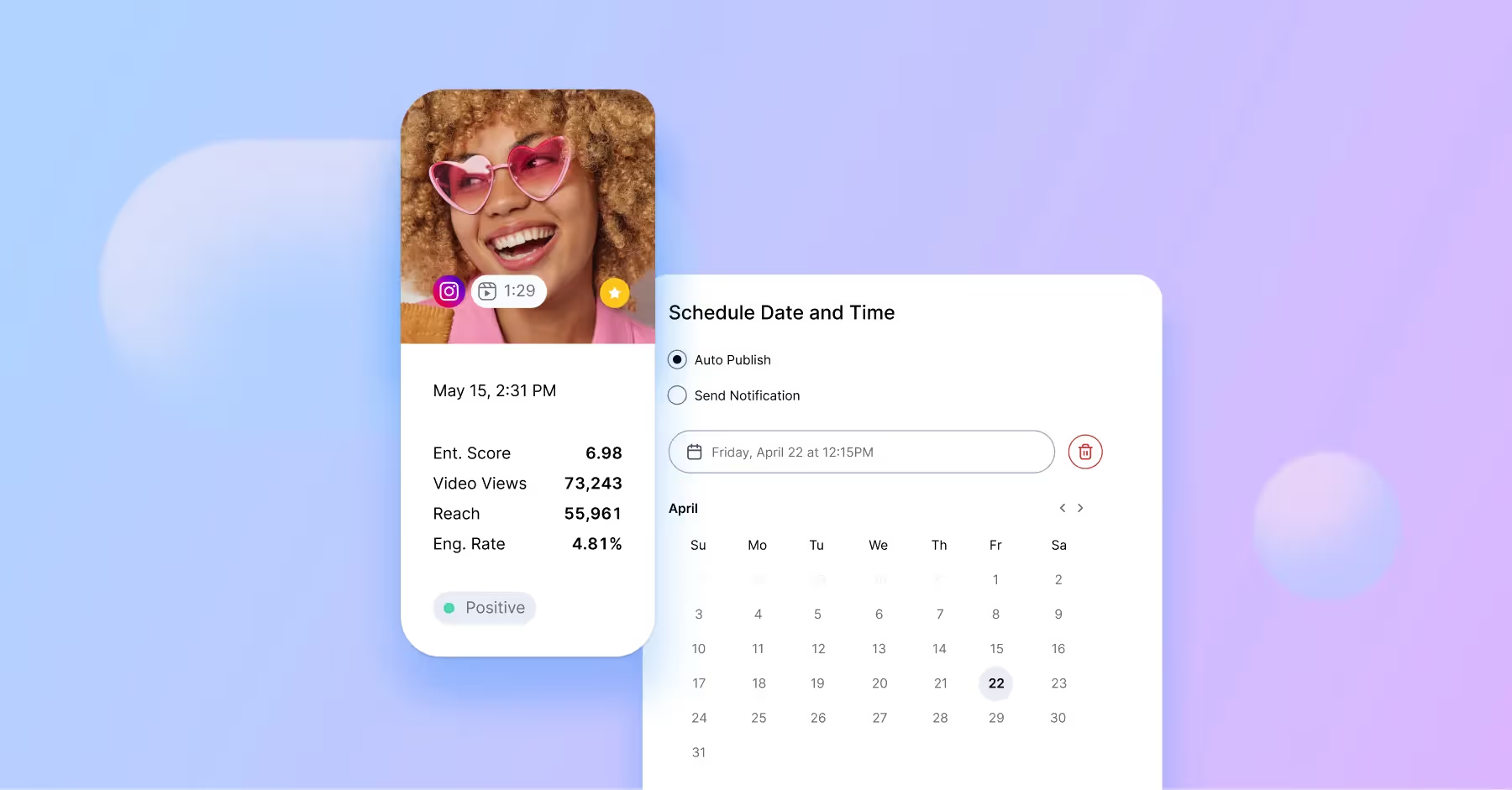
- Publish when your audience is most active.
- Review performance and apply learnings to the next post.
How To Measure Instagram Video Performance
Instagram video performance looks different across every format. Instead of measuring every video the same way, focus on the metrics that match the placement, goal, and audience behavior.
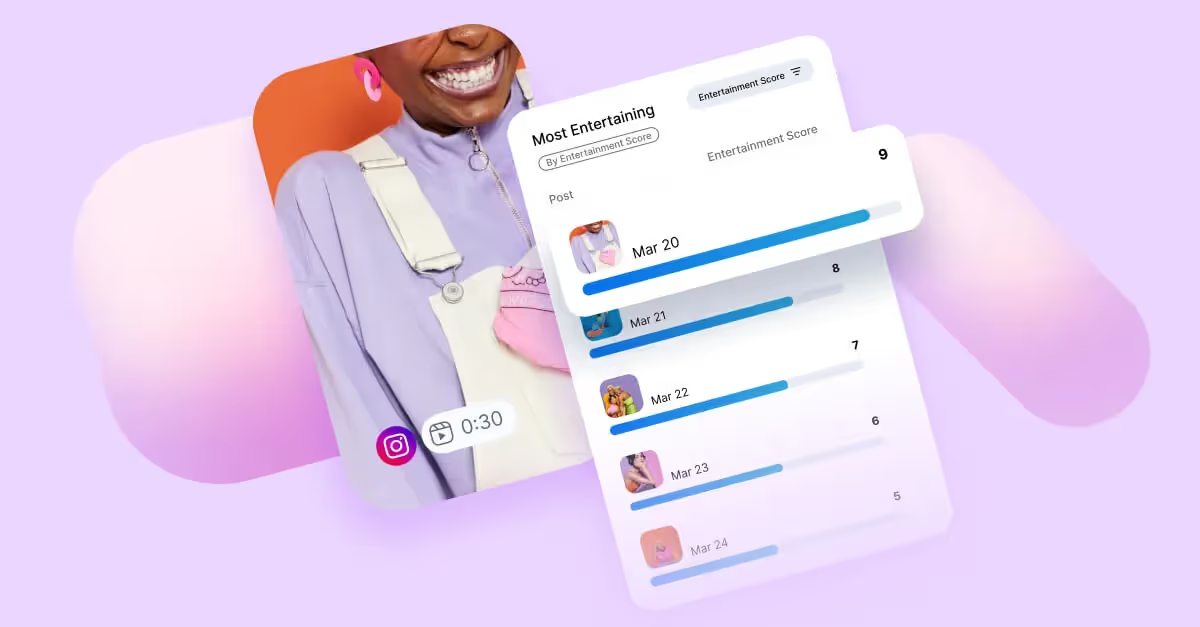
Once you know what to measure, it’s easier to spot patterns and make sharper creative decisions. Compare performance over time, benchmark against peers, and look for the formats, themes, and hooks that consistently drive stronger results. That’s where Instagram video insights become a roadmap for better content.
Common Instagram Video Mistakes Brands Make
Instagram video performance often comes down to the small choices brands make before they post. The right format, hook, copy, and measurement approach can be the difference between a video that gets skipped and one that holds attention. Here are the most common mistakes to avoid when creating and posting videos to Instagram.
- Posting one edit everywhere without adapting it to the format
- Missing the hook in the first second.
- Using text that is too small, too dense, or too close to the edges.
- Over-prioritizing trends while under-investing in message clarity.
- Measuring success on views alone instead of engagement and retention metrics.
- Treating Stories, Reels, and feed video as interchangeable.
How To Save or Download Instagram Videos
If you want to save an Instagram video inside the app, use the bookmark icon. This keeps the video in your saved collection, so you can reference it later for inspiration, reporting, or planning.
Downloading or repurposing someone else’s video outside of Instagram is different. If your brand wants to use UGC, creator content, or customer content in a campaign, make sure you have the right permissions before reposting or editing it.

Instagram Video FAQs
What size should an Instagram video be?
For most teams, the safest working standard is 1080 by 1920 for full-screen vertical video. Feed video may be better cropped to 4:5 or 1:1, depending on placement and creative goals.
What is the best aspect ratio for Instagram Reels?
Reels are typically designed in 9:16 so they fill the mobile screen. Brands should also make sure important text and visuals stay clear of interface overlays.
How long can Instagram Reels, Stories, and Live videos be?
The ideal length depends on the format and the story you are telling. In practice, shorter videos with a strong opening usually perform better for discovery, while educational or community content can earn longer watch time if the value stays clear.
What video format does Instagram support?
Instagram commonly supports MP4 and MOV video files. For best results, use high-quality video, follow the recommended aspect ratio for placement, and check Instagram’s current upload requirements before publishing.
How do brands measure Instagram video performance?
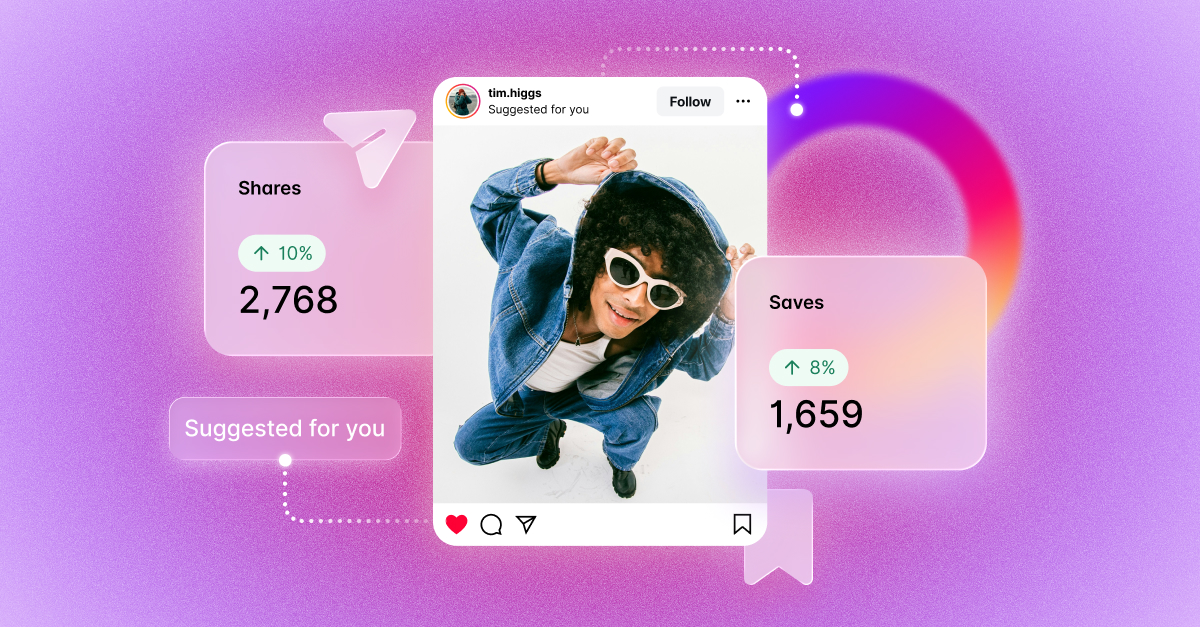
Brands should measure Instagram video performance based on the goal of each format. Instagram analytics can help teams understand how videos are driving reach, retention, engagement, and action across Reels, Stories, and feed posts. Common metrics include reach, views, watch time, engagement rate, shares, saves, replies, link clicks, and conversions.
Can you save or download Instagram videos legally and natively?
You can save Instagram videos natively inside the app using the bookmark feature. Downloading or reusing someone else’s video may require permission from the original creator, especially for branded or commercial use.